Step-by-Step: How to Get QuickBooks Certified in 2026


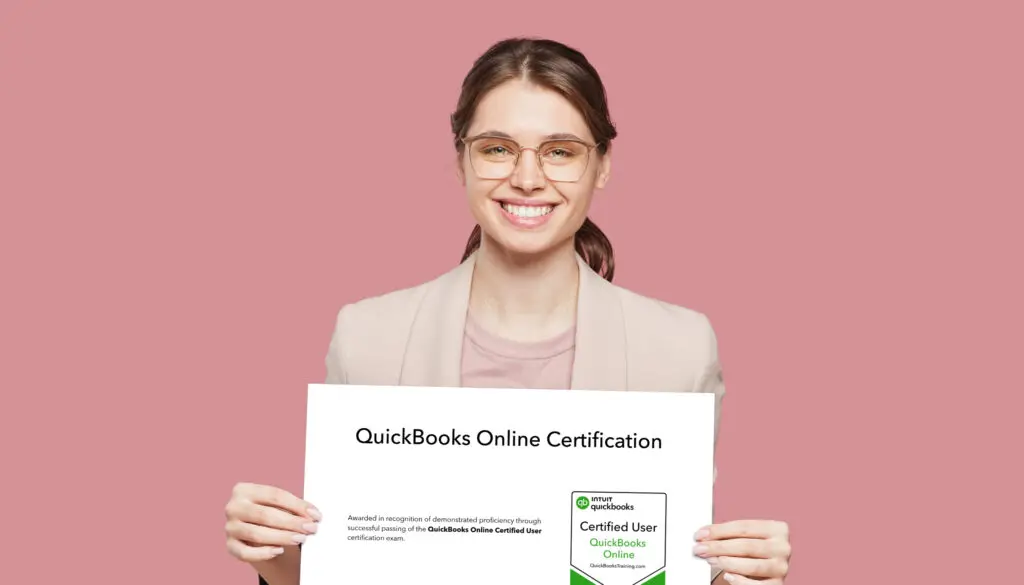
QuickBooks Training, Intuit's endorsed training partner, offers 18 certifications including certifications for QuickBooks Online, Bookkeeping, and QuickBooks Desktop. Certification requires completing a step-by-step training program, practicing with mock exams, and passing a 30 to 60-question online exam per credential. Our main exam, QuickBooks Online Certified User, takes about 20 hours from enrollment to passing, while the smallest specialist exams can take as little as 2.5 hours, and certifications never expire.
QuickBooks Certification covers 18 distinct credentials: three foundational certifications — QuickBooks Online, QuickBooks Desktop, and Bookkeeping Professional — plus specialist credentials built around specific workflows like payroll, inventory, job costing, and reconciliation, and broader credentials like Automation & AI and the Intuit Enterprise Suite. Every one of them follows the same path: learn the material, practice with hands-on exercises, knowledge checks, quizzes, and mock exams, pass the official exam, then share the credential. What changes from one certification to the next is the study material, not the process. Earning more than one adds real weight to a resume or a client pitch.
Why Get Certified
A QuickBooks Certification is an official credential, endorsed by Intuit, that validates your knowledge and skills. Not just a piece of paper (nor set of pixels on your profile).
- Career boost. A certification demonstrates a commitment to professional excellence and helps you stand out to clients and employers.
- Skill validation. Passing the exam proves you can handle real-world business accounting tasks, not just the theory behind them.
- Lifetime credibility. Once you're certified, you can prove your skills in perpetuity since the credential doesn't expire.
The 18 QuickBooks Certifications You Can Earn
QuickBooks Online Certified User, Intuit Certified Bookkeeping Professional, and QuickBooks Desktop Certified User are the three most commonly pursued certifications. QuickBooks Online Certified User covers the cloud-based platform most small businesses run on. The Intuit Certified Bookkeeping Professional certification covers core bookkeeping and accounting skills independent of any one piece of software. QuickBooks Desktop Certified User covers the legacy, installed software many established businesses use.
The remaining 15 are specialist credentials. Some are built around a specific workflow, like reconciliation or accounts payable. Some are built around an industry, like nonprofits or e-commerce. And some are built around a specific product or version, like Intuit Enterprise Suite or the Advanced version of QuickBooks Online.
Select a certification below to learn more.
- QuickBooks Payroll Specialist
- Automation & AI Specialist
- Inventory Management Specialist
- Accounts Receivable Specialist
- Accounts Payable Specialist
- QBO Reporting Specialist
- QBO Reconciliation Specialist
- QBO Clean-up Specialist
- QBO Job Costs & Projects Specialist
- QBO Nonprofit Specialist
- QBO E-Commerce Specialist
- QuickBooks Business Owner
- QuickBooks Online Certification: QBO Advanced Version
- Intuit Enterprise Suite Certified User
- QBO Construction Specialist
What the Certification Exams Look Like
Every certification exam is multiple-choice and true/false questions, taken online. The more comprehensive Certified User exams are 60 questions and a one-hour limit, and the Specialist exams are 30 questions and a half-hour limit. Every exam comes with unlimited retakes, plus practice exams that flag which recommended videos and hands-on activities to revisit before trying again, so a failed attempt doesn't mean starting over from scratch.
Once you pass, the certification doesn't expire. There's no annual renewal. The credential is yours to display from the day you earn it.
How to Get Certified in Four Steps
The path to certification is the same regardless of which credential you're after. Only the study material changes.
Enroll in a Training Program
The first step is enrolling in a training program that includes the official exam itself, not just the lessons. Look for a program that gives you:
- Live Classes and Self-Paced Courses: Look for a mix of live, instructor-led classes and on-demand, self-paced courses so you can learn around your schedule.
- Lifetime Access: Choose a program that gives you lifetime access to all course materials and unlimited retakes for classes, so you're always learning the most up-to-date content.
- Live 1-on-1 Help: Personalized 1-on-1 instructor support for troubleshooting specific issues with your books.
Learn the Material (From 1 to 11 hours)
This stage builds the foundation for the exam. Your training covers the essentials for each certification you pursue.
- QuickBooks FAST-Track: If you're new or looking to brush up on the basics, start with a live, 2-day class covering the foundations of QuickBooks.
- Regular, Live Classes: Attend daily, one-hour sessions on specific topics to build expertise.
- Learn Anytime: Use on-demand courses to fill in any knowledge gaps on your own schedule.
Practice With Exercises and Mock Exams (From 1 to 8 Hours)
Hands-on experience is what prepares you for the exam and the real world. This step is all about building confidence.
- Hands-on Exercises: Work through interactive exercises that simulate real-world QuickBooks scenarios.
- Practice Tests: Take online, interactive practice tests that mirror the official exam's format. Free retakes mean you can drill until you feel ready.
- Guided Practice: Your answers on each practice exam generate a personalized list of videos and hands-on activities to revisit before you take the real exam.
Pass the Official Exam (30 to 60 Minutes per Exam)
You've learned it, you've practiced it, and now it's time to pass the test. The QuickBooks certification exams, endorsed by Intuit, are administered online.
- Duration: Each exam takes between 30 minutes to an hour, depending on the credential.
- Format: Multiple-choice and true/false questions designed to validate your expertise.
- Retakes: A quality training program includes free retakes, so if you don't pass on the first try, you can jump back into the training and try again at no extra cost.
Once you pass, you immediately earn your QuickBooks Certification, which you can use to boost your professional credibility right away.
A single Certification Plan enrollment covers exam attempts across all 18 credentials, so pursuing a second or third certification after the first one doesn't require re-enrolling in a new program.
Which Certification to Start With
Most people pursuing their first credential start with QuickBooks Online Certified User. It's the most broadly requested certification in bookkeeping job postings, and it's the prerequisite most other QuickBooks Online specialist credentials build on. Career changers coming from outside bookkeeping tend to start with Intuit Certified Bookkeeping Professional instead, since it validates core accounting skills independent of any one software platform. Someone already certified who wants to specialize can add credentials like QBO Reconciliation Specialist or Accounts Payable Specialist. The underlying QuickBooks knowledge carries over, and all that's left to learn is the more in-depth, exam-specific content.
Backed by Intuit since 1998. Every article on this blog is written by the same certified instructors who teach our live classes and self-paced courses.
The right next step
Reading is a great start, but earning a certification rewards hands-on practice. If you want a structured path with real exercises, mock exams, and instructors you can ask questions, a guided Certification Plan will get you there faster than piecing it together yourself.
Learn QuickBooks the right way
50+ self-paced courses, live classes every weekday, and certification prep.
Explore more training on Certification
Courses and videos from QuickBooksTraining.com
QuickBooks Instructor
“A verifiable QuickBooks certification based on real, up-to-date training is hands-down the best way to give your resume a boost. Plus, any certification, including QuickBooks Certification, is also a nice confidence boost. Happy QuickBooksing!”