What is the Best Way to Learn QuickBooks in 2026?

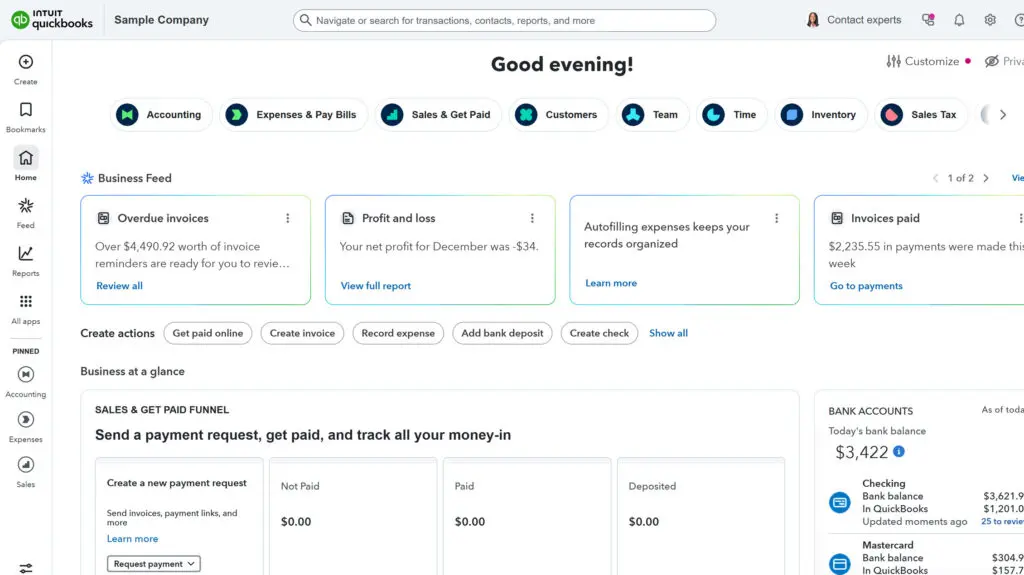
QuickBooks often looks simple when you first open it. You connect a bank account, categorize a few transactions, and it feels like you are making progress. For many users, that early confidence leads to a bigger question: what is the best way to learn QuickBooks in 2026 without creating problems that surface later?
Learning QuickBooks today is less about memorizing clicks and more about understanding how the system is designed to work. Setting realistic expectations early helps users avoid frustration and build confidence as their bookkeeping needs grow.
What Does "the Best Way to Learn QuickBooks" Actually Mean?
When people ask about the best way to learn QuickBooks in 2026, they are usually not looking for shortcuts. They want a learning approach that helps them avoid mistakes, understand why numbers look the way they do, and trust their reports over time.
In practice, the best way to learn QuickBooks is the approach that follows the logic of the system itself. That means understanding setup concepts first, learning daily workflows next, and using reports to confirm accuracy. Skipping these foundations often leads to confusion later, even if the software feels easy at first.
Why Does Your Learning Approach Matter?
QuickBooks is flexible, which is both a strength and a challenge. The software allows many ways to record transactions, but not all methods lead to clean, reliable data. How someone learns QuickBooks directly affects how accurate their books become.
A random or trial-and-error learning approach can work temporarily, but it often creates habits that are difficult to undo. Learning with structure helps users understand cause and effect, so they can explain why balances change and recognize when something looks wrong.
What Mistakes Do People Make When Learning QuickBooks?
One of the most common mistakes is starting with automation before understanding the basics. Features like bank feeds and automatic categorization can save time, but they also hide errors when users do not know what they are approving.
Other common issues include guessing on categories, skipping reconciliation, and avoiding reports because they feel confusing. These mistakes are not caused by lack of effort. They usually come from learning out of sequence or focusing on speed instead of understanding.
How Do People Learn QuickBooks Today?
In 2026, people learn QuickBooks in several common ways. Some rely on self-guided tutorials or videos, while others prefer structured courses or live instruction. Many users combine approaches as their needs change.
The most effective learning experiences tend to include explanation, repetition, and feedback. Understanding concepts first, then applying them consistently, helps users adapt as QuickBooks updates and workflows evolve.
When Does Structured Training Make Sense?
Many people begin learning QuickBooks on their own and later seek training when uncertainty sets in. This is normal. Structured training becomes especially valuable when accuracy matters, reports are shared with others, or bookkeeping issues start taking more time to fix than prevent.
For many users, the best way to learn QuickBooks in 2026 involves guidance that explains not just what to do, but why it matters. That understanding reduces second-guessing and builds long-term confidence.
Backed by Intuit since 1998. Every article on this blog is written by the same certified instructors who teach our live classes and self-paced courses.
The right next step
Reading is a great start, but QuickBooks rewards hands-on practice. If you want a structured path — with real exercises, downloadable handouts, and instructors you can ask questions — a guided course will get you there faster than piecing it together yourself.
Learn QuickBooks the right way
50+ self-paced courses, live classes every weekday, and certification prep.
Explore more training on Getting Started
Courses and videos from QuickBooksTraining.com
QuickBooks Instructor