Artificial intelligence, as a research field, covers any system built to do things that normally require human judgment like recognizing images, understanding language, or predicting outcomes. Colloquially, though, when someone says they're "using AI" today, they almost always mean one narrow slice of that field: a generative chat tool like Claude, ChatGPT, or Gemini. Knowing the difference is what makes it possible to answer what kind of AI your business actually needs, rather than defaulting to whichever one is loudest right now.
Ask ten people what "AI" means and most will describe typing a question into a chatbot and getting an answer back. That's a real use of AI, but it's one slice of a much bigger field; one most people interact with dozens of times a day without noticing. A spam filter, a fraud alert on a credit card, the route Google Maps suggests: all AI, none of it a chatbot. That difference matters when you evaluate AI tools for your business, because "AI" on a product's marketing page could mean an LLM-based assistant or a prediction model built for one job, and the two behave very differently. This article draws the line between them, then places the chat tools you've heard about on the map.
What "AI" Actually Means
As a field of computer science, artificial intelligence covers systems built to perform tasks that would typically require human intelligence like understanding language, recognizing images, solving problems, and making decisions. That's a broad umbrella, and most of what falls under it has nothing to do with chatbots.
In everyday use, though, the word has come to refer to one specific technology: large language model (LLM)-based chat tools like Claude, ChatGPT, Gemini, or Copilot. You type a prompt, you get a generated response back. That's a real narrowing, because plenty of AI has been running in the background of daily life for years without anyone calling it that:
- The recommendation algorithm that decides what you watch on Netflix
- Spam filters in your email
- Face recognition on your phone
- Self-driving car systems
- Medical imaging tools that detect tumors
Most people use all of these AI-powered systems daily without thinking of them as "AI." The term has become shorthand for one specific thing: generative AI, and more specifically, conversational chat interfaces built on large language models. So when someone says they "just used AI to write their cover letter," they mean they typed a prompt into a chat interface, not that they engaged with the broader field of AI research. And more importantly, when companies tout AI-powered systems, it could refer to models like these, or newer, generative AI systems, or a combination of the two.
Six Kinds of AI You Might Already Use
Everything above falls under what researchers call narrow AI: systems trained to do one specific task very well, with no ability to generalize beyond it. That's distinct from Artificial General Intelligence (AGI), a system that could reason flexibly across any domain the way a person can. Every AI you encounter today, including chat tools, is technically narrow AI. Within that umbrella, six categories cover most of what you run into without a prompt box in sight:
- Recommendation & ranking — predicts what you want to see, buy, or hear next: Netflix, Spotify, and YouTube feeds, Amazon product suggestions, Google search ranking
- Computer vision — interprets images or video: face recognition to unlock your phone, photo tagging, medical imaging that screens for disease, self-checkout lanes identifying products
- Speech recognition & voice AI — converts spoken language into text or commands: Siri, Alexa, and Google Assistant's wake-word and command layer, automatic captions, dictation
- Predictive & classification systems — sorts or scores based on patterns: spam filters, fraud detection on your credit card, credit scoring, predictive text on your keyboard
- Optimization & decision systems — continuously adjusts variables toward a goal: surge pricing, traffic routing in Google Maps, a smart thermostat learning your schedule
- Robotic & autonomous systems — perceives an environment and acts within it: robot vacuums, driver-assistance features, warehouse robots
What all six share, and what separates them from an LLM, is that they're highly specialized. They're trained on one type of data and optimized for a single output. A fraud detection model can't recognize your face. A recommendation algorithm can't transcribe speech. Each does one thing well. LLMs stand out in the AI landscape precisely because they feel general: the same model can write code, explain history, draft an email, or analyze a document, even though it's built on mathematical foundations related to the narrow systems above.
You've already trusted narrow AI with your business. Fraud detection on a business credit card and spam filtering on a business inbox are both narrow AI doing one job well — no prompt required. The chat tools covered in this series are a different, newer category layered on top.
How These Categories Show Up Inside QuickBooks
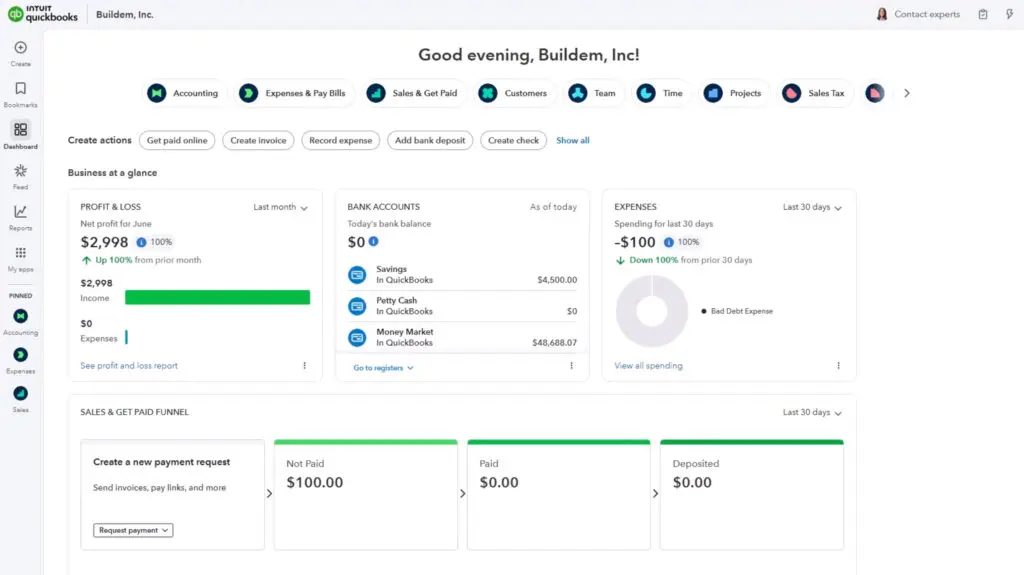
None of the six categories above require typing a prompt, and QuickBooks Online already runs several business-specific versions if a chat interface isn't what you're after:
- Bank feed categorization and fraud detection — the predictive systems behind the QuickBooks banking grid, flagging what looks like fraud or misclassification on a transaction before you see it
- Document data capture (OCR) — computer vision behind receipt capture, reading a scanned receipt or bill and pulling out the vendor, date, and amount instead of it being typed in by hand
- Cash flow forecasting — the predictive models behind QuickBooks' cash flow projections, forecasting incoming and outgoing cash from historical patterns and open invoices, without generating any text at all
- Inventory demand forecasting — optimization systems that predict how much of a product to reorder and when, based on past sales patterns
- Support ticket routing — classification systems that read an incoming customer message and route it to the right queue or person, with no generated reply involved
These tools do one job, run quietly inside QuickBooks, and don't ask you to write a prompt. If your interest in AI stops at "not a chatbot," this is where it's already working in your books.
Reading an "AI-Powered" Claim Correctly
Once you know one word could refer to any of multiple categories, "AI-powered" on a product page stops meaning much on its own. The practical move is to ask which category a given feature actually belongs to, because that tells you what to expect from it.
- A narrow system (fraud detection, OCR, demand forecasting) does one job, runs quietly, and its output is a number, a flag, or a filled-in field.
- An LLM-based chat tool takes an open-ended prompt and generates novel text or code in response. It's flexible, but also capable of confidently generating something wrong.
- A growing third category, agentic AI, goes further than either: it takes that same LLM reasoning and uses it to carry out a multi-step task inside a live system, not just answer a question about it.
Matching the category to the claim also tells you where to put your attention. A narrow tool's failure mode is a bad prediction on an edge case it wasn't trained for. A chat tool's failure mode is fluent, confident text that happens to be wrong. Knowing which one you're dealing with is what makes it possible to use either safely.
Backed by Intuit since 1998. Every article on this blog is written by the same certified instructors who teach our live classes and self-paced courses.
The right next step
Knowing how to sort an AI claim into the right category is the first step to evaluating any tool for real use. Get Started with AI picks up from here, covering how large language models actually work and where Intuit's own agents fit into QuickBooks Online.
Learn QuickBooks the right way
50+ self-paced courses, live classes every weekday, and certification prep.
Explore more training on AI
Courses and videos from QuickBooksTraining.com

QuickBooks Instructor