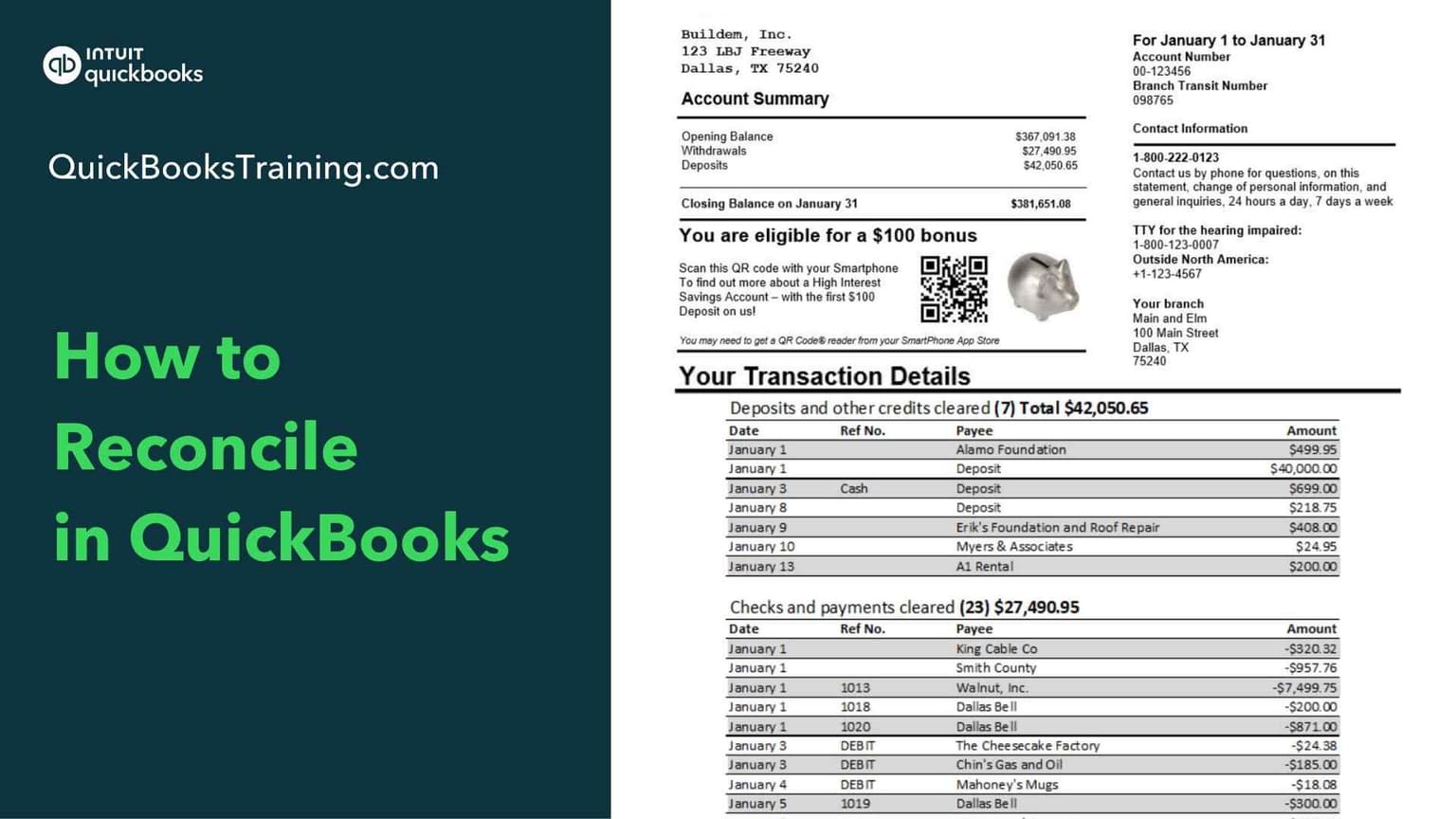
This beginner-friendly class teaches you how to reconcile your accounts in QuickBooks, so your books always match your bank and credit card statements. You'll learn to upload a bank statement, use the reconciliation window, mark transactions as cleared, and finish a reconciliation from start to finish. The course also covers resolving discrepancies, setting up credit card reconciliations, and undoing or starting over, with hands-on "Your Turn" exercises to practice.
You’ll learn how to…
Understand what reconciliation is and why it matters
Upload a bank statement
Begin and finish a reconciliation
Use the reconciliation window
Mark transactions as cleared
Resolve reconciliation discrepancies
Set up and complete credit card reconciliations
Undo or start a reconciliation over
This class is included in all of our training plans
Self-paced
All training plans include instant and lifetime access to this course.
Next live class · with Grace Eppley
Oct 20, 2026
Tue · 2:30 PM CT
This class prepares you for certification:
QBO Reconciliation Specialist
Course Content
13 lessons · 5 HANDS-ON exercises · 43 min
Introduction: How to Reconcile0:39
Reconciliation0:59
Upload a Bank Statement3:20
Begin a Reconciliation1:59
How to Use the Reconciliation Window2:13
Mark Transactions as Cleared3:54
Finish Reconciliation9:10
Reconciliation Discrepancies2:44
Credit Card Reconciliation Setup1:50
Credit Card Reconciliation0:57
Register Tips2:30
Undo a Reconciliation4:59
Your Turns Solutions: How to Reconcile7:58
What learners say about this course
“I appreciated that Jason provided examples as he was instructing this course. Sharing his screen was very helpful to be able to make connections with what it was he was teaching at the time.”
Jayme K.
“Before this class, I could perform only basic tasks in QuickBooks. Now I can confidently create and manage customers and vendors, record invoices and bills, reconcile bank accounts”
Vishal S.
“This course was extremely helpful and practical. The hands‑on structure made everything easier to understand, and I feel fully prepared to use QuickBooks in a professional setting.”
James A.
“Having the option to use both methods would be nice.”
Jo K.
Learner
Training only
1 user
$899.95
$599.95
30-day money back guarantee
Lifetime access to all included training
This course + 49 other courses
Live classes every weekday
Hands-on exercises
All future course updates
Optional Live 1-on-1 Help continues at $50/mo. Cancel anytime.
Most Popular
Certification
Training + Certification
1 user
$999.95
$699.95
$1,099.95
$799.95
30-day money back guarantee
Lifetime access to all included training
Everything in Learner
Training for all 18 certification exams
18 QuickBooks certification exams
Practice exams and test prep
Optional Live 1-on-1 Help continues at $50/mo. Cancel anytime.
Team
Team Training + Certification
2-5 users
$1,799.95
$999.95
30-day money back guarantee
Lifetime access to all included training
Everything in Certification
Up to 5 users included
Certification for your team
Team progress tracking
Optional Live 1-on-1 Help continues at $90/mo. Cancel anytime.