
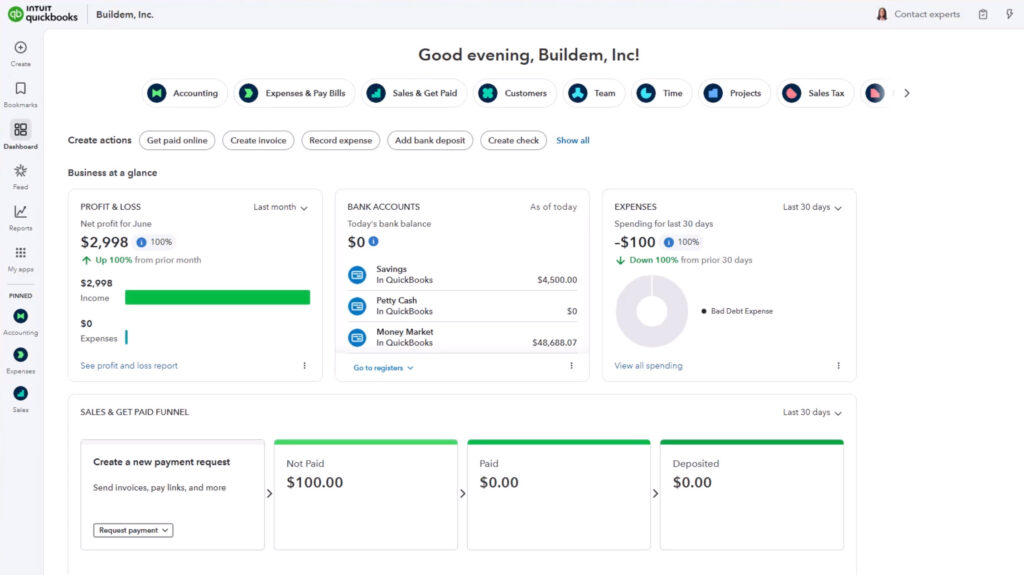
Why Do Many Businesses Use QuickBooks for Bookkeeping?
Many businesses use QuickBooks for bookkeeping because it aligns with how financial work actually happens in day-to-day operations. Rather than requiring deep accounting knowledge upfront, it helps organize income, expenses, and reports in a way that feels approachable and practical for people who are running a business, not an accounting department.
Understanding why QuickBooks is so widely used can help business owners set realistic expectations before they begin using it or investing time in learning it. The reasons are less about “best features” and more about usability, accessibility, and long-term consistency. For many businesses, QuickBooks becomes a system they grow into rather than out of.
Designed for Non-Accountants
One reason many businesses choose QuickBooks is that it does not assume users have an accounting background. Financial information is presented using familiar business language, which makes it easier for owners and managers to understand what is happening without translating technical accounting terms or concepts.
Instead of starting with theory, QuickBooks introduces accounting ideas through everyday actions like creating invoices, recording expenses, and reviewing bank activity. This approach allows users to build understanding gradually while still getting real work done. For business owners who wear many hats, this balance between usability and structure is a major reason QuickBooks feels manageable.
Built Around Everyday Business Tasks
Many bookkeeping systems are structured around accounting outcomes rather than how businesses actually operate. QuickBooks takes a task-based approach, organizing work around common activities such as recording expenses, sending invoices, tracking payments, and reviewing cash flow.
This structure helps businesses stay consistent. When bookkeeping fits naturally into daily workflows, records are more likely to stay current. Instead of bookkeeping becoming a separate, intimidating task, it becomes part of routine operations. Over time, this consistency reduces errors, improves visibility, and minimizes the amount of cleanup required later.
Accessible From Anywhere
Businesses today often operate outside of a traditional office. Owners travel, teams work remotely, and decisions need to be made without waiting to sit down at a specific computer. QuickBooks supports this reality by allowing access from multiple devices and locations.
This accessibility makes it easier to review financial data, record transactions, or answer questions as work happens. For many businesses, having real-time access to accurate information reduces delays and improves confidence, especially when coordinating with bookkeepers or accountants who also need visibility into the same data.
Supports Business Growth Over Time
Many businesses continue using QuickBooks as they grow because it can accommodate changing needs. What starts as basic income and expense tracking can expand to include payroll, inventory, job costing, or more detailed reporting as operations become more complex.
This adaptability reduces the pressure to switch systems as a business evolves. Preserving historical data, maintaining reporting continuity, and avoiding disruptive migrations are important considerations for growing businesses. For many, QuickBooks offers enough flexibility to grow alongside the business without requiring a complete reset.
Works Best With Proper Training
While QuickBooks is widely used, accurate bookkeeping still depends on understanding how transactions should be recorded and reviewed. The software records exactly what users enter, which means early habits and setup decisions matter more than many people realize.
Businesses that invest time in learning how QuickBooks works tend to experience cleaner reports, fewer reconciliation issues, and greater confidence in their numbers. Rather than relying entirely on trial and error, structured learning helps users understand why the system behaves the way it does, making it easier to correct issues before they compound.
Next Step
If you are exploring QuickBooks or already using it, the next step is understanding how training can support accurate bookkeeping, clearer reports, and long-term confidence in your financial information.